Online meetings are now an integral part of the new way of working. That said, they don’t always run smoothly — not everyone finds it straightforward to use the various online meeting tools.
Microsoft Teams, Google Meet and Zoom are generally the most widely used meeting tools. But which one is actually best for your situation? And which features within the tool can you make the most of?
Valo supports larger online meetings and online events — so you don’t have to worry about the technology and can focus entirely on the content.
We know them all!
Not just Zoom or MS Teams. WebEx, Google Meet, Skype, BlueJeans, Anymeeting and Slack hold no secrets for us either.
How does an online meeting work?
In an online meeting, people come together in a digital space via an online meeting tool. This can be an internal team meeting with a small number of participants, but also an AGM where hundreds of people come together online simultaneously.
To run an online meeting smoothly, you need at minimum a good (wired) internet connection, a camera and a microphone. When organising large-scale gatherings, a moderator is needed to keep everything on track — muting people who aren’t speaking, managing the chat function, ensuring videos or presentations are shown at the right moment, and more.
> Continue reading below the photo.
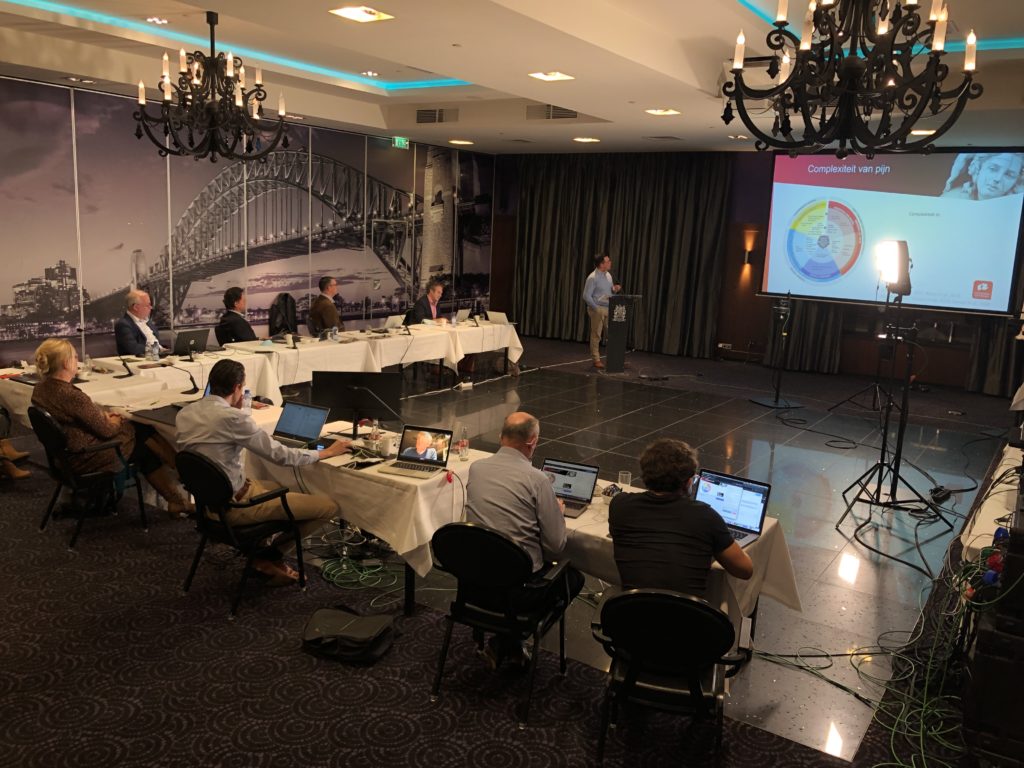
Hold online meetings easily from your laptop.
What is the best platform for online meetings?
At one end of the spectrum you have online event tools, at the other end video-conferencing tools. Online event tools are highly suitable when wide reach is the goal; video-conferencing tools are best when a high degree of interaction is needed.
Larger organisations often work with a fixed platform, where users choose between the various features available within that platform. Alongside Zoom Webinar, Zoom now also offers Zoom Events functionality; the same applies to MS Teams, where you can organise Live Events.
When you have a choice between different tools, it’s worth being clear upfront about what the main purpose of the online meeting is, what your audience’s needs are and what requirements a platform must meet.
Zoom meetings are particularly suitable when you want to hold an online meeting with a large number of participants. Zoom is fairly easy to use — even external participants can join a meeting in just a few simple steps by sharing a meeting link.
Zoom has a number of useful features you can use during your online meetings, including a whiteboard function, breakout rooms and the ability to run polls. When organising a professional Zoom meeting, it’s good to think in advance about which roles need to be filled and whether it will be an online event or a hybrid event. Providing a Zoom onboarding for the host and speakers ensures your online meeting is thoroughly prepared.
Online meetings in Teams
Microsoft Teams is a great tool for organising online meetings with a relatively small number of participants where interaction is important. To join a Teams meeting, participants need a Microsoft account. Many organisations already use other Microsoft products, which makes Teams a natural choice for internal online meetings.
The chat and dial-in functions make communicating with remote colleagues extra easy. Unlike Zoom, Microsoft has servers based in Europe — which is why organisations with strict data policies often prefer to work with Microsoft Teams.
Saves (travel) time — online meetings are often more efficient.
Content is reusable — great for participants who couldn’t attend and want to watch back afterwards.
Cost-effective — you typically save on venue hire, parking and catering.
Low barrier to joining — especially when participants are joining from across the country, the number of willing attendees tends to increase.
You can create a unique experience — with video, there are many ways to alternate between speakers and pre-recorded footage, polls and more.
Tips for online meetings
To come across professionally in a video meeting, it’s not just technology and organisation that play a crucial role — so does how you present yourself on camera. In our blog about video meetings you’ll find seven tips on how to come across professionally in your online meetings.
A ‘simple’ meeting you organise yourself is of course (almost) free. A subscription to MS Teams, Zoom or Google Meet doesn’t need to cost much, and everyone has a laptop or smartphone with a webcam and microphone.
Let us take care of it and focus on the content
Organising a larger meeting with external participants where everything simply needs to run smoothly? Hire a professional who knows your meeting tool inside out, advises you thoroughly in advance, sets everything up correctly beforehand and keeps things on track during the meeting. Valo has specialists who know Teams and Zoom — and more — inside out. From just €600 per day you can have that support.
Turn your meeting into an online talk show
Want to really stand out and elevate your meeting with great picture and sound, presentations and other audiovisual support? At Valo we love approaching an online meeting as if it were a talk show — complete with a TV format.
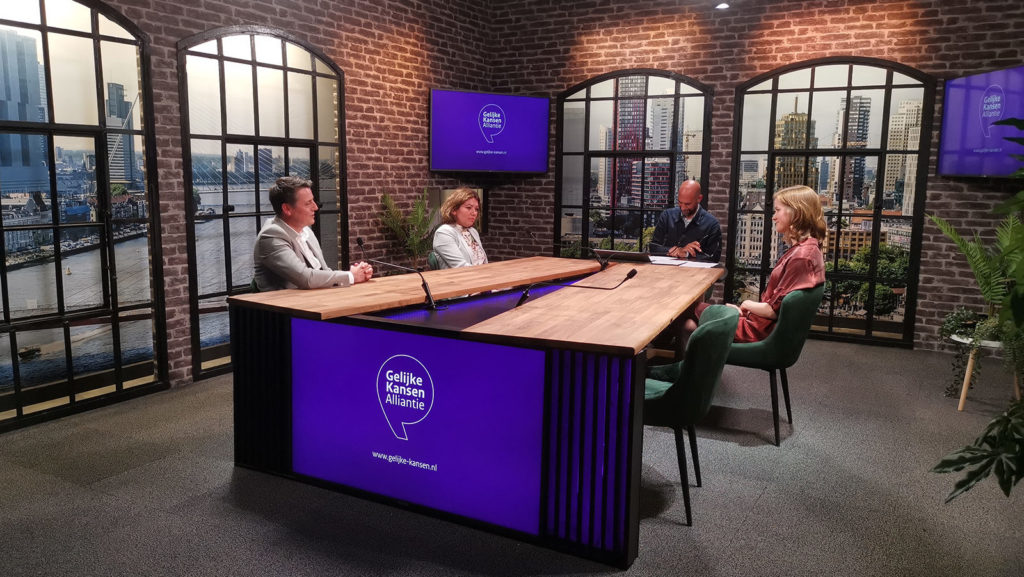
If you want to take your virtual meeting up a notch, there are a number of considerations that will affect costs. Do you want a fully online meeting or do you also want to invite people in person? Perhaps you’d like to get out of your own office and use a professional (livestream) studio? That’s absolutely possible — studio hire starts from €400 per half day.
Host your meeting from a professional studio.
Bring in a professional host
Keep your colleagues sharp and have your online meeting led professionally by an experienced chair, guest speaker or (TV) presenter. It takes your meeting to a whole new level.
Use supporting presentations, videos and other visuals
Dull PowerPoint presentations? Have them rewritten by a copywriter and redesigned by a graphic designer. Planning to show video material or other visual support? It’s worth hiring a videographer to produce it professionally and deliver it in the right format for your video meeting. A professional video typically costs around €2,500 to produce, depending on your requirements.
Meeting room at KNOV, the professional organisation for midwives.
Treat your meeting room as a studio
Good picture and sound quality are a genuine must for a professional impression. Have your meeting room equipped with the right technology so you can hold high-quality online meetings with ease.
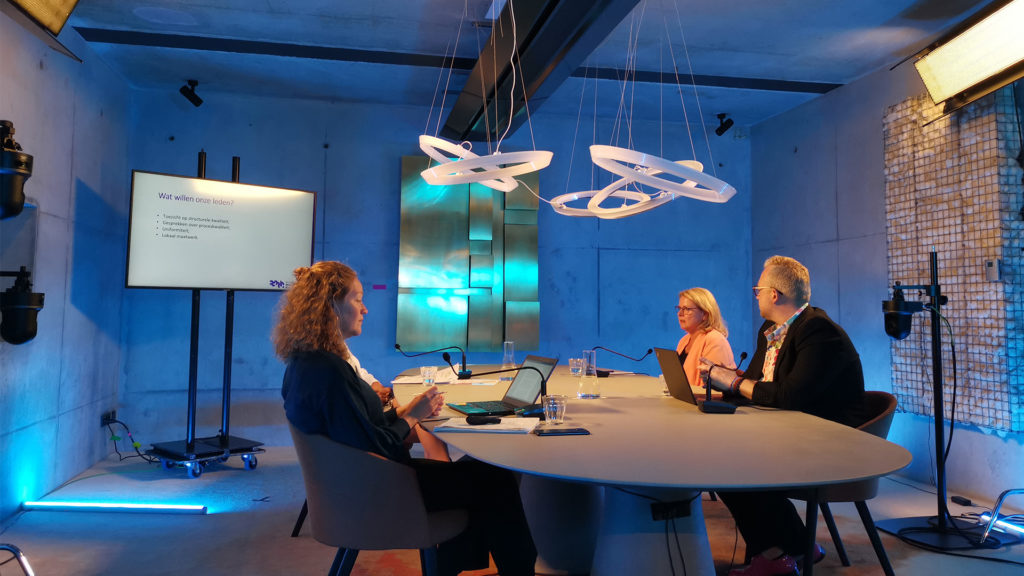
Valo loves helping you think through the technical setup, and how to transform that tired conference room into an inspiring space that engages the senses. Our team has built multiple meeting studios — complete with beautiful interiors and quality cameras and microphones — from which you can essentially broadcast a TV programme.
Meeting room at BMK, the trade association for childcare.
All of these elements have a significant positive impact on your online meetings and your organisation’s image. Valo is happy to give you a personal walkthrough of the options — you can also visit our pricing page for a rough indication of the costs of having your online meeting professionally managed.
Frequently asked questions
Bij online vergaderen nemen meerdere personen deel aan een online videogesprek. Deze gesprekken kunnen worden opgezet door gratis of betaalde tools, zoals Zoom, Microsoft Teams of Skype. Het is handig om een tool te kiezen waar de deelnemers al bekend mee zijn, of die standaard binnen de organisatie wordt gebruikt.
Om een online vergadering te faciliteren kun je gebruik maken van software zoals Zoom, Microsoft Teams, WebEx, Google Meet, Skype, BlueJeans, Anymeeting, of Slack. Enkele tools hiervan zijn gratis, zoals bijvoorbeeld Zoom, Google Meet en Skype, bij andere tools heb je een betaald account nodig.